Finding the best keyboard layout for programming can be frustrating when your typing feels slow and uncomfortable. The wrong layout keeps impacting your speed and focus without you noticing. But the right layout can boost your speed, improve comfort, and make coding feel smooth and effortless.
• Best overall: Colemak (speed + comfort)
• Beginner-friendly: QWERTY
• Maximum efficiency: Dvorak
• Coding-focused: Programmer Dvorak
Not sure? Stick with QWERTY or try Colemak.
What is a Keyboard Layout? (Quick Explanation)
A keyboard layout is simply how keys are arranged—and it directly controls how fast, comfortable, and accurate you type.
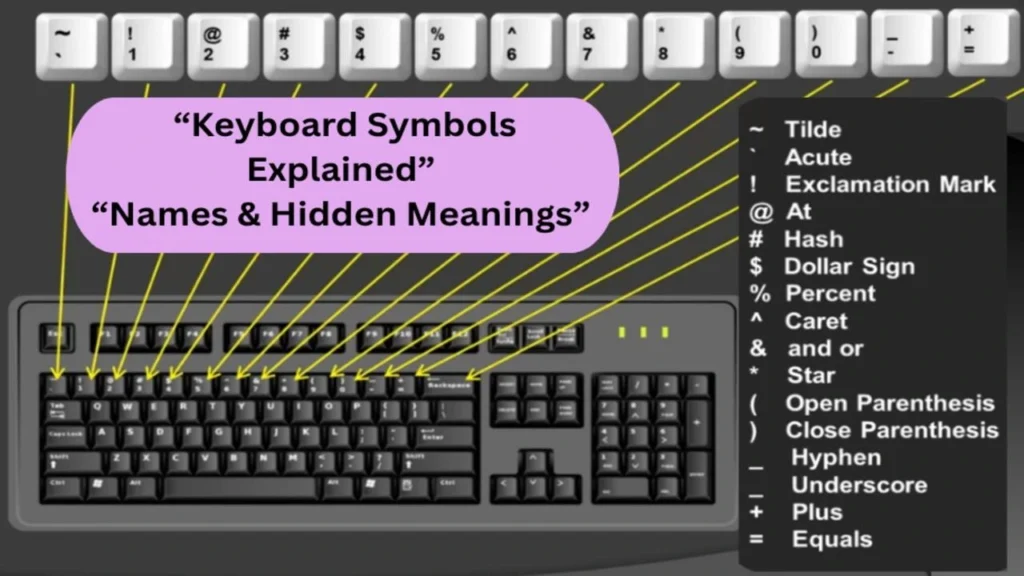
For programmers, this matters more than you think. Small symbols like { } ; @ ( ) are used constantly, and their placement can either speed up your workflow or slow you down.
Even a slight change in layout can reduce finger movement, improve typing flow, and make long coding sessions feel easier. That’s why choosing the right layout isn’t just a preference—it’s a performance upgrade.
Choose the right setup—explore types of keyboard →
Why Keyboard Layout Matters for Programmers
Speed: Your keyboard layout affects how fast you code. Better key placement reduces finger movement and improves typing speed, flow, and muscle memory.
Comfort: An efficient layout minimizes finger travel, helping reduce strain, fatigue, and wrist discomfort during long coding sessions.
Special Characters: Programming relies heavily on symbols like { } [ ] ( ). A layout that makes these easy to reach improves accuracy and coding efficiency.
Full-size or compact? see keyboard sizes explained →
Best Keyboard Layouts for Programming
QWERTY Layout
Best for: Beginners, everyday programming, and users familiar with standard keyboards
Description: The QWERTY layout is the default keyboard setup found on most devices and operating systems worldwide.
Pros: Easy to use, universally supported, no learning curve
Cons: Not designed for coding efficiency, symbols can be harder to access
Dvorak Layout
Best for: Users aiming for maximum typing speed and efficiency
Description: Dvorak rearranges keys to place frequently used letters on the home row, improving speed and reducing strain.
Pros: Faster typing, less finger movement, improved accuracy
Cons: Difficult to learn, limited adoption, requires habit change
Colemak Layout
Best for: Users wanting better efficiency without a full relearning process
Description: Colemak modifies QWERTY slightly to improve ergonomics while keeping many familiar key positions.
Pros: Comfortable typing, easier transition, improved speed
Cons: Not as widely supported, slight adjustment required
Programmer Dvorak Layout
Best for: Developers who frequently use coding symbols
Description: A modified version of Dvorak that prioritizes quick access to programming characters and symbols.
Pros: Better symbol access, improved coding workflow
Cons: Learning curve, limited compatibility across systems
Workman & Custom Layouts
Best for: Users focused on ergonomics and long typing sessions
Description: Layouts like Workman are designed to reduce finger strain and improve comfort through optimized key placement.
Pros: Ergonomic design, reduced fatigue, customizable
Cons: Less popular, takes time to adapt
convert your keyboard instantly:
You can convert layouts instantly using our keyboard layout converterWhich Keyboard Layout Should You Choose?
The best keyboard layout depends on your comfort, experience, and coding needs. There’s no universal choice—pick what improves your typing efficiency and feels natural.
Key Factors to Consider
Typing Comfort
If you feel wrist strain or fatigue, switch to ergonomic layouts like Colemak or Dvorak to reduce finger movement.
Learning Curve
Used to QWERTY? Changing layouts will slow you down at first. Only switch if you’re ready to relearn muscle memory.
Programming Needs
If you frequently type symbols like { } ; < >, layouts like Programmer Dvorak can improve speed and accessibility.
Productivity vs Comfort
Better layouts don’t always mean faster coding. Consistency and familiarity matter more than layout alone.
Choosing a Keyboard Layout Based on Your Programming Language
Different programming languages rely on different symbols, which can influence which layout feels most efficient.
Python
Common symbols: : ( ) _
Best layout: QWERTY or Colemak
Python has simple and readable syntax, so the default QWERTY layout works well. Colemak can improve comfort if you code for long hours.
JavaScript
Common symbols: { } ; ( ) =>
Best layout: Programmer Dvorak or Colemak
JavaScript uses many special characters. Layouts like Programmer Dvorak make these symbols easier to access and faster to type.
C / C++
Common symbols: { } < > ; * &
Best layout: Programmer Dvorak
These languages rely heavily on symbols, so a layout optimized for quick symbol access can reduce typing effort and improve efficiency.
HTML / CSS
Common symbols: < > / = " { }
Best layout: QWERTY or Colemak
For web development, QWERTY is usually enough. However, Colemak can provide a more comfortable typing experience over time.
Check your keyboard performance with a keyboard polling rate test →
Quick Recommendation
- Beginner or casual use → QWERTY
- Better comfort & speed → Colemak
- Heavy symbol usage → Programmer Dvorak
Tips to Improve Typing Speed for Coding
Improving typing speed isn’t just about typing faster—it’s about working smarter. Here are quick tips to boost your coding efficiency:
- Learn touch typing → Type without looking at the keyboard to improve speed and focus
- Focus on accuracy first → Fewer mistakes = faster coding overall
- Use keyboard shortcuts → Save time in your editor and terminal
- Practice real code → Typing actual code is more useful than typing tests
- Use auto-complete & snippets → Let your editor do repetitive work
- Maintain good posture → Comfort helps you code longer and faster
- Be consistent → Even 15 minutes daily makes a big difference
Final Tip
Speed matters, but accuracy + comfort = real productivity
Test your typing speed instantly:
Practice typing symbols using this typing tool.FAQ
1. What keyboard layout is best for coding?
The best keyboard layout for coding depends on your workflow. QWERTY is standard and widely supported, while Dvorak and Colemak offer better ergonomics and reduced finger strain. Most developers stick with QWERTY, but alternative layouts can improve long-term comfort.
2. Is Dvorak or Colemak better?
Colemak is generally better for most users due to its easier transition from QWERTY and support for common shortcuts. Dvorak focuses more on efficiency and ergonomics. Choose Colemak for convenience, Dvorak for maximum optimization.
3. Is TKL or 75 better for programming?
Both are excellent for coding. A TKL keyboard offers more spacing and comfort, while a 75% keyboard is more compact but retains essential keys. Choose TKL for comfort, 75% for space-saving setups.
4. How long does it take to learn a new keyboard layout?
The learning time depends on your experience and practice. Most users take a few weeks to a couple of months to become comfortable with a new keyboard layout. Regular, consistent practice helps you adapt faster and build muscle memory.
5. Is Dvorak actually better?
Dvorak can improve typing speed and accuracy by reducing finger movement. However, the benefit depends on your willingness to relearn and adapt. For most users, gains are noticeable but not essential.
Related Articles