
What Is a Keyboard? Definition, Uses, Types & Functions
What Is a Keyboard?
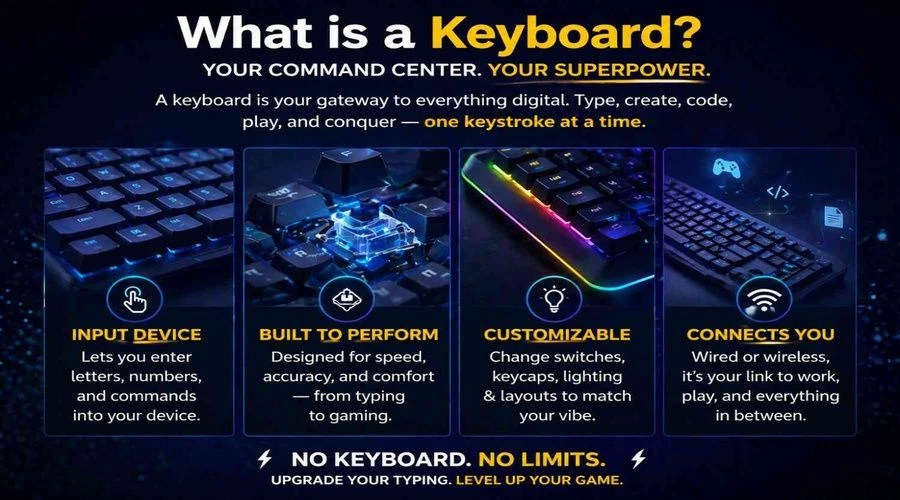
A keyboard is an input device used to enter text, numbers, symbols, and commands into a computer or other electronic device. It contains a set of keys arranged in a specific layout, with different keys used for typing, navigation, shortcuts, and controlling computer functions.
When you press a key, the keyboard detects the input and sends a signal to the computer, which interprets it as a character, command, or action. This makes the keyboard one of the most important and widely used input devices for computers.
Modern keyboards come in many forms, including mechanical, membrane, ergonomic, wireless, gaming, and compact keyboards. They can also differ in their size, layout, key switches, and features, depending on how they are designed and what they are used for.
If you want to explore the different designs in more detail, see our complete guide to [types of keyboards].
In this guide, you’ll learn what a keyboard is, what it does, how it works, its main keys and features, common types, advantages, and other essential keyboard basics.
What Does a Keyboard Do?
A keyboard allows you to enter information and give commands to a computer or other digital device. Its most basic job is typing letters, numbers, and symbols, but its keys can also be used to navigate software, perform shortcuts, and control different computer functions.
Common things you can do with a keyboard include:
Type text: Write documents, emails, messages, and other content.
Enter numbers and data: Enter figures into forms, spreadsheets, calculators, and other applications.
Navigate: Move through documents, webpages, menus, and programs using arrow and navigation keys.
Run shortcuts: Combine keys such as Ctrl, Alt, Shift, and Windows with other keys to perform actions quickly.
Control applications: Use keys such as Enter, Escape, Tab, Backspace, and Function keys for specific commands.
Play games: Gaming keyboards provide keys and features designed for fast and precise input.
The exact functions of a keyboard depend on the keys it has, its layout, the operating system, and the software being used.
For a more detailed look at what keyboards can be used for in everyday computing, see our complete guide to [Uses of Keyboard].
What Are the Main Keys on a Keyboard?
A typical computer keyboard contains several groups of keys, and each group has a different role. The exact arrangement can vary depending on the keyboard’s size, layout, and purpose, but most standard keyboards include the following key groups.
Alphanumeric Keys
Alphanumeric keys include the letters A–Z and numbers 0–9. They make up the main typing area and are used for entering words, numbers, and other text.
Function Keys
The F1–F12 keys are called function keys. They can perform different actions depending on the operating system or application. For example, a function key may open help, refresh a page, or work as part of a keyboard shortcut.
Modifier Keys
Modifier keys change the function of another key when pressed together. Common examples include Shift, Ctrl, Alt, and the Windows key. They are frequently used for keyboard shortcuts and special commands.
Navigation and Arrow Keys
Navigation keys help you move around documents, webpages, and applications. Arrow keys, Home, End, Page Up, Page Down, and Insert are common examples.
Numeric Keypad
Many full-size keyboards include a numeric keypad on the right side. It provides a convenient way to enter numbers and perform basic mathematical operations, particularly when working with large amounts of numerical data.
Special and Control Keys
Keys such as Enter, Spacebar, Backspace, Tab, Escape, and Delete perform specific actions during typing and navigation. Their functions can change slightly depending on the software being used.
Keyboard models can contain additional keys for media controls, volume, lighting, macros, or other specialized functions. If you need a more detailed reference for individual keys, see our [Laptop Keyboard Keys: Complete Guide to Names, Functions, Symbols & Replacement] guide.
How Does a Keyboard Work?
A keyboard works by detecting a key press and converting it into an electrical signal that the computer can understand. When you press a key, a switch or membrane mechanism beneath it detects the press and sends an electrical signal through the keyboard’s circuit.
The keyboard’s internal controller identifies which key was pressed and sends that information to the computer through a USB cable, Bluetooth, or another wireless connection. The computer’s operating system then interprets the input and uses it to display a character, perform an action, or execute a command.
For example, when you press the A key while typing, the keyboard detects the key press, processes the input, and sends it to the computer. The operating system then displays A in the active application.
The exact mechanism can vary between mechanical, membrane, wireless, and other keyboard designs. [Learn how a keyboard works in detail] to see what happens inside a keyboard from the moment you press a key to the moment the computer receives the input.
Keyboard Layout and Key Arrangement
A keyboard layout describes how letters, numbers, symbols, and other keys are arranged on a keyboard. The layout affects where commonly used keys are positioned and can vary between languages, regions, and keyboard designs.
QWERTY and Other Keyboard Layouts
QWERTY is the most widely used keyboard layout, named after the first six letters in the top letter row. Other layouts, such as AZERTY, QWERTZ, and Dvorak, arrange some keys differently to suit particular languages or typing preferences.
The physical arrangement of keys can also differ between keyboard sizes. A full-size keyboard typically includes a number pad, while compact keyboards may remove or combine certain keys to save space.
Keyboard Sections
Most standard keyboards organize their keys into recognizable areas, including the main typing section, function keys, navigation keys, arrow keys, and, on many models, a numeric keypad.
The arrangement is designed to make frequently used keys easy to access while providing shortcuts and navigation controls alongside the main typing area.
If you want to compare different layouts and understand how their key arrangements differ, see our detailed [Keyboard Layout guide].
Key Features of a Keyboard
Keyboard features vary depending on the design, size, and intended use, but most modern keyboards share several important characteristics. These features affect how a keyboard feels, how easily you can use it, and what tasks it is best suited for.
Some common keyboard features include:
Key layout: The arrangement of letters, numbers, symbols, and control keys determines how you interact with the keyboard.
Key switches: The mechanism beneath each key affects typing feel, sound, responsiveness, and durability.
Keyboard size: Keyboards range from full-size models with a numeric keypad to smaller designs that use less desk space.
Connectivity: Wired keyboards commonly use USB, while wireless models may connect through Bluetooth or a USB receiver.
Ergonomic design: Some keyboards use curved, split, or angled designs to provide greater comfort during extended typing.
Specialized keys: Depending on the model, a keyboard may include media controls, programmable keys, shortcut buttons, or other dedicated controls.
Backlighting: Many modern keyboards include illuminated keys, which can make typing easier in low-light environments.
Build quality: The materials, construction, and key mechanism can influence a keyboard’s durability and overall typing experience.
Not every keyboard includes all of these features. A basic office keyboard may focus on simplicity and affordability, while a gaming or professional keyboard may offer additional controls and customization options.
If you’re comparing keyboards based on their construction and technology, our [Keyboard Switches Explained] guide covers how different switch types affect the typing experience.
Different Types of Keyboards
Keyboards come in different designs to suit different users, devices, and tasks. They can vary in their key mechanism, size, shape, connectivity, and features.
Common types of keyboards include:
Mechanical keyboards — Use individual mechanical switches beneath the keys and are popular for their distinct typing feel and durability.
Membrane keyboards — Use a membrane-based mechanism and are commonly found in affordable everyday keyboards.
Ergonomic keyboards — Use specialized shapes or split layouts designed to provide a more comfortable typing position.
Wireless keyboards — Connect to a computer or other device without a physical data cable, typically using Bluetooth or a wireless receiver.
Virtual keyboards — Appear on a screen and allow users to enter text by tapping or clicking virtual keys.
Gaming keyboards — Include features designed for gaming, such as responsive switches, programmable keys, and customizable lighting.
The best type depends on factors such as how you use the keyboard, your preferred typing experience, available desk space, and the features you need.
For a detailed comparison of keyboard types and their advantages, see our complete guide to [Types of Keyboard].
Keyboard Sizes
Keyboard size refers to the overall layout and number of keys available on a keyboard. Different sizes are designed for different needs, with larger keyboards generally providing more dedicated keys and smaller keyboards saving desk space.
Common keyboard sizes include full-size, tenkeyless (TKL), 75%, 65%, and 60% keyboards. A full-size keyboard typically includes a dedicated numeric keypad, while compact layouts remove or combine some keys to create a smaller footprint.
The right size depends on how you use your keyboard. Someone who regularly works with numbers may prefer a full-size keyboard, while a gamer, traveler, or user with limited desk space may prefer a more compact design.
Keyboard size can also affect the position and availability of navigation keys, function keys, and the numeric keypad.
For a detailed comparison of keyboard sizes, layouts, dimensions, and which size may suit different users, see our [Keyboard Size Explained] guide.
Advantages and Disadvantages of Keyboards
Keyboards remain one of the most widely used computer input devices because they provide fast and precise control over text, numbers, commands, and shortcuts. They are particularly useful for tasks that require frequent typing or efficient keyboard-based navigation.
Advantages of Keyboards
Some key advantages include:
Fast text entry: Typing on a physical keyboard can be efficient for writing and data entry.
Precise input: Individual keys provide direct control over letters, numbers, symbols, and commands.
Keyboard shortcuts: Key combinations can make common tasks faster and reduce the need to use a mouse.
Versatility: Keyboards can be used for writing, work, gaming, programming, navigation, and many other tasks.
Different designs: Users can choose from a wide range of sizes, layouts, mechanisms, and features.
Disadvantages of Keyboards
Keyboards also have some limitations. They require users to learn the location and function of different keys, and traditional layouts may take up considerable desk space. Some keyboards can also produce noticeable noise, while prolonged typing may become uncomfortable if the keyboard or typing position is poorly suited to the user.
The advantages and limitations can vary considerably depending on the keyboard’s design and intended use. For a more detailed comparison, see our [Keyboard Advantages and Disadvantages] guide.
Keyboard vs. Mouse and Other Input Methods
A keyboard and mouse are both computer input devices, but they are designed for different types of interaction. A keyboard is primarily used to enter text, numbers, symbols, and commands, while a mouse is mainly used to point, click, select, drag, and navigate items on the screen.
For example, typing a document is generally faster with a keyboard, while selecting an icon or moving an object around a graphical interface is often easier with a mouse. Keyboard shortcuts can also reduce the need to switch between the keyboard and mouse when performing common actions.
Other input methods, such as touchscreens, styluses, microphones, and game controllers, are designed for specific types of interaction. The best input method depends on the device, software, and task.
In everyday computer use, keyboards and mice often work together: the keyboard handles text and command input, while the mouse provides precise pointing and navigation.
Interesting Facts About Keyboards
Although keyboards may seem simple, they have evolved considerably from the early typing machines that influenced their design. Here are a few interesting facts about modern computer keyboards:
QWERTY is not the only keyboard layout. Other layouts, including AZERTY, QWERTZ, and Dvorak, arrange keys differently for different languages or typing preferences.
The QWERTY layout originated with typewriters. Its name comes from the first six letters in the top letter row.
Not every keyboard has the same number of keys. Full-size keyboards usually include a numeric keypad, while compact keyboards may remove or combine keys to save space.
Some keyboards have programmable keys. These allow users to assign shortcuts, macros, or specific commands to individual keys.
Mechanical keyboards use individual switches. Different switches can produce different levels of tactile feedback, sound, and responsiveness.
Keyboards can work without a physical connection. Wireless models commonly communicate with computers and other devices through Bluetooth or a dedicated wireless receiver.
A keyboard can do more than type. Modifier keys and shortcuts allow users to perform commands, navigate software, and control various computer functions without relying entirely on a mouse.
Keyboard technology continues to evolve, with modern designs focusing on comfort, customization, portability, performance, and accessibility.
Frequently Asked Questions
What is a keyboard in a computer?
A keyboard is an input device used to enter text, numbers, symbols, and commands into a computer. It contains keys that send information to the computer when they are pressed.
What is a keyboard? Short answer
A keyboard is an input device that allows you to enter letters, numbers, symbols, and commands into a computer or other electronic device.
What is a keyboard for kids?
A keyboard is a device used to type letters, numbers, and other commands into a computer. Children can use it to write words, search for information, play games, and interact with computer programs.
What is a keyboard for Class 1?
A keyboard is an input device used to type letters, numbers, and symbols into a computer. It has many keys, and each key can perform a different function.
What is a keyboard for Class 2?
A keyboard is an input device with many keys used to enter letters, numbers, symbols, and commands into a computer. It helps us type words, write sentences, enter numbers, and give instructions to a computer.
What is the main function of a keyboard?
The main function of a keyboard is to enter information and commands into a computer or other digital device. It can be used for typing, entering numbers, navigating programs, and performing keyboard shortcuts.
Is a keyboard an input or output device?
A keyboard is an input device because it sends information and commands to a computer. The computer processes this input and may display the result on the screen.
What are the main types of keyboards?
Common keyboard types include mechanical, membrane, ergonomic, wireless, virtual, gaming, and compact keyboards. They differ in their design, key mechanism, size, connectivity, and intended use.
How does a keyboard work?
A keyboard detects when a key is pressed and converts that action into an electrical signal. Its internal controller processes the input and sends information to the computer, where the operating system interprets it as a character or command.
What is the difference between a computer keyboard and a piano keyboard?
A computer keyboard is an input device used to enter text and commands into a computer, while a piano keyboard is a musical instrument interface used to produce musical notes. Although both have keys, they serve completely different purposes.