Uses of Keyboard: Everyday Uses in Computers, Gaming & Daily Life
A keyboard is an input device used to enter text, numbers, symbols, and commands into a computer. The main uses of a keyboard include typing documents, entering data, using keyboard shortcuts, browsing the internet, programming, gaming, and controlling software. It remains one of the fastest and most efficient ways to interact with digital devices.
Introduction
A keyboard is one of the most important input devices used with computers, laptops, and many other digital devices. While most people associate it with typing, the uses of a keyboard go far beyond entering text. From navigating software and using keyboard shortcuts to gaming, programming, and data entry, a keyboard helps users interact with technology quickly and efficiently.
In this guide, you’ll learn the most common uses of a keyboard in computers, work, education, gaming, and everyday life. We’ll also explain different types of keys, their functions, and practical tips to help you use your keyboard more effectively.
Not sure what a keyboard actually is? Read our beginner-friendly guide on what is a keyboard before diving in.
What Are the Uses of a Keyboard?
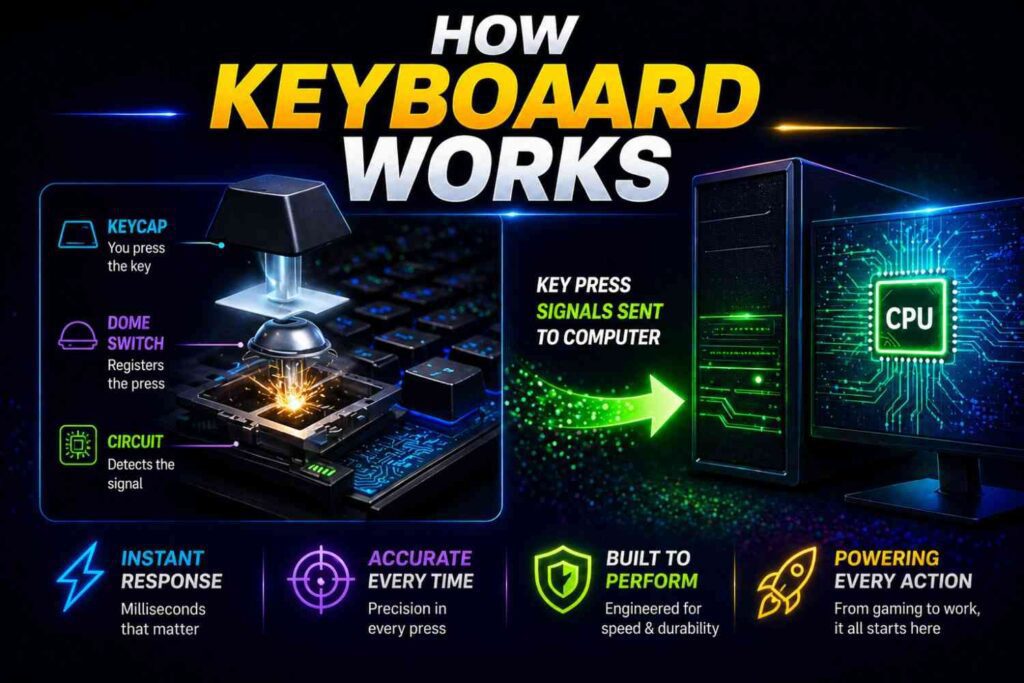
A keyboard is an input device that allows you to enter text, numbers, symbols, and commands into a computer, laptop, tablet, or other digital device. Every time you press a key, your keyboard sends a signal to the device, allowing you to write, navigate, or perform a specific action.
The uses of a keyboard go far beyond simply typing. It is an essential tool for communication, productivity, entertainment, and everyday computing.
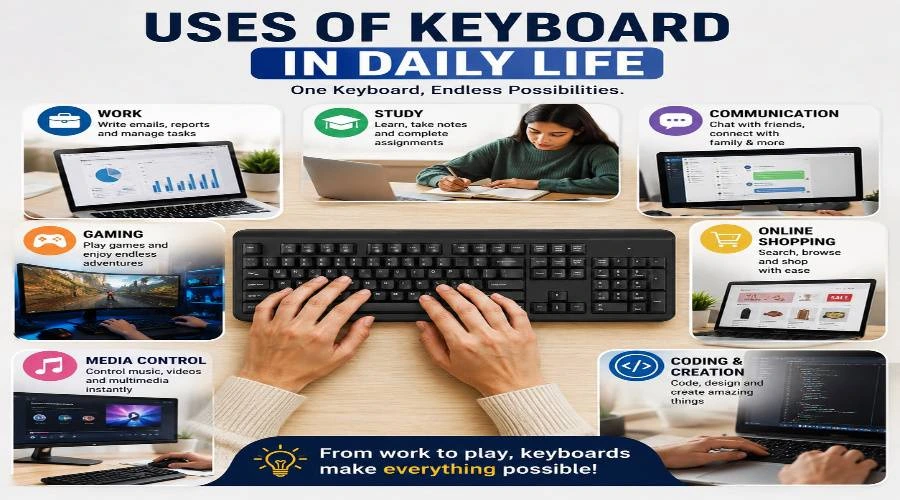
Some of the most common uses of a keyboard include:
- Typing documents, emails, and messages
- Running commands and keyboard shortcuts
- Navigating websites, applications, and menus
- Playing games with precise controls
- Entering numbers and data into forms or spreadsheets
- Programming and writing code
- Controlling software without relying on a mouse.
Whether you’re a student, office worker, programmer, or gamer, the keyboard remains one of the fastest and most efficient ways to interact with modern technology.
Uses of Keyboard in Computer
A keyboard is one of the primary input devices used to interact with a desktop computer or laptop. While typing is its most familiar function, it also helps users navigate the operating system, control software applications, enter data, browse the internet, and perform tasks more efficiently using keyboard shortcuts. Whether you’re working, studying, or programming, the keyboard plays a key role in improving speed and productivity.
Typing and Writing
Typing is the most common use of a keyboard. People use it to create documents in Microsoft Word, write emails, prepare reports, take notes, and send messages. Students complete assignments, professionals draft business documents, and writers create articles or books—all with the help of a keyboard.
Entering Data
Keyboards are essential for entering numbers, text, and records into databases, spreadsheets, and online forms. Applications like Microsoft Excel allow accountants, analysts, administrators, and data entry professionals to organize financial information, inventory, customer details, and other business records quickly and accurately.
Browsing the Internet
A keyboard is also essential when using a web browser. You can type website addresses, search for information, complete online forms, and communicate through email or social media. Common browser shortcuts like Ctrl + T to open a new tab, Ctrl + W to close a tab, and Ctrl + L to focus the address bar make web browsing quicker and more convenient.
Running Commands
Many computer programs allow users to execute commands directly from the keyboard. In Command Prompt, PowerShell, Terminal, and various software applications, users can type commands to open programs, manage files, automate tasks, or perform system operations. This makes the keyboard an essential tool for developers, IT professionals, and advanced users.
Many of these commands can also be performed using keyboard shortcuts, which are covered in the dedicated section below.
Programming and Coding
Developers rely heavily on keyboards to write code, execute commands, and debug applications. Popular code editors and integrated development environments (IDEs) support numerous shortcuts that speed up coding tasks. Programmers also use the keyboard to work in command-line interfaces, manage files, and automate repetitive processes, making it an indispensable tool for software development.
Navigating the Operating System
A keyboard makes it easy to move around your operating system without relying on a mouse. You can use the Tab key to switch between fields, the Arrow keys to move through menus, Enter to confirm actions, and Alt + Tab to switch between open windows. These navigation keys help improve workflow and make everyday computer use faster.
Accessing Menus and Settings
Most desktop programs allow users to access menus and settings directly from the keyboard. Pressing the Alt key highlights menu options in many Windows applications, while shortcut combinations make it easy to open files, save documents, adjust settings, or switch between tools. This not only saves time but also improves accessibility for users who prefer keyboard navigation over a mouse.
Want to test your keyboard? Try our Keyboard Tester to check if every key works correctly, or explore our Keyboard Counter to track your keystrokes while practicing keyboard shortcuts.
Uses of Keyboard in Gaming
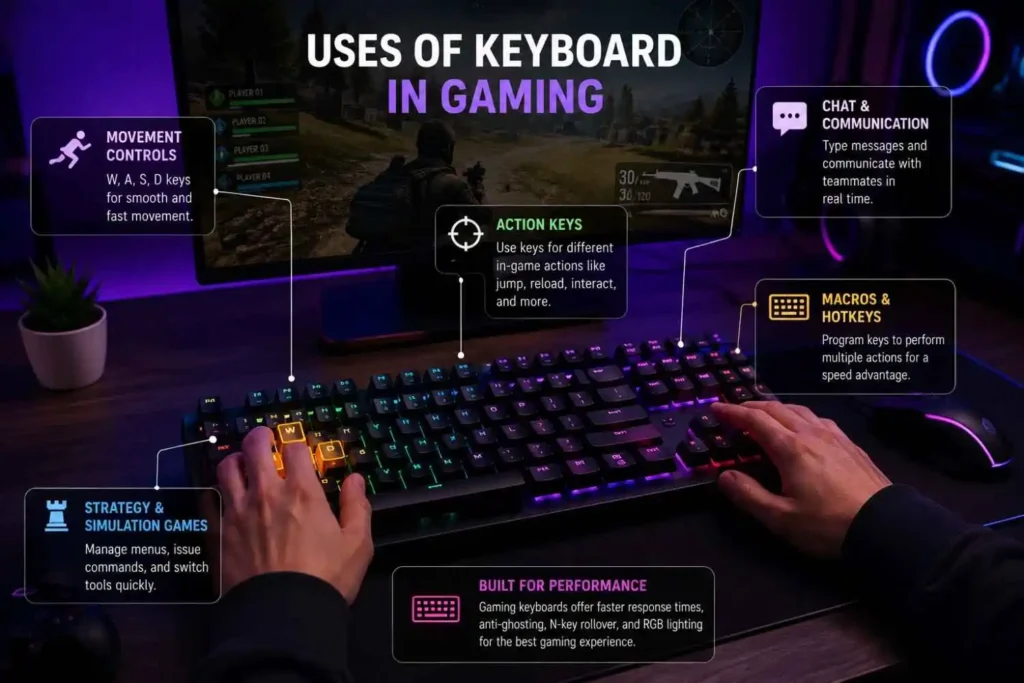
A keyboard is one of the most important tools for PC gaming. From controlling character movement to activating abilities and communicating with teammates, a responsive gaming keyboard helps players react quickly and improve overall gaming performance.
Movement Controls
Most PC games use the W, A, S, D (WASD) keys for movement, allowing players to walk, run, and explore the game world. This layout has become the standard because it provides fast and comfortable control during gameplay.
Action Keys
Different keys perform different actions depending on the game. For example, Spacebar is commonly used to jump, R to reload, and E to interact with objects. These key bindings become second nature with regular play.
Chat and Communication
In multiplayer games, players use the keyboard to send text messages, coordinate strategies, and communicate with teammates. Fast typing can improve teamwork during competitive matches.
Macros and Hotkeys
Many gaming keyboards support programmable macros and customizable hotkeys. These features allow players to execute multiple actions with a single key press, making gameplay more efficient in supported games.
Strategy and Simulation Games
Strategy, simulation, and management games rely heavily on keyboard controls for selecting units, issuing commands, switching tools, and managing resources quickly. Keyboard input helps players make faster decisions during gameplay.
Gaming keyboards often include features such as mechanical switches, anti-ghosting, N-key rollover, and low response times to deliver greater accuracy and responsiveness during intense gaming sessions.
Every millisecond counts in gaming. Run a quick keyboard latency test to see how fast your keyboard really responds.
Uses of Keyboard Shortcuts
Keyboard shortcuts help users perform tasks quickly without navigating menus or relying on a mouse. They improve productivity, reduce repetitive clicks, and make everyday computer use faster on both Windows and macOS.
Here are some of the most common and useful shortcuts:
| Shortcut | Function | Common Use |
|---|---|---|
| Ctrl + C | Copy | Documents, files |
| Ctrl + V | Paste | Text, images |
| Ctrl + Z | Undo | Editing |
| Ctrl + S | Save | Word, Excel |
| Ctrl + A | Select All | Documents |
| Ctrl + F | Find | Browser, PDF |
| Alt + Tab | Switch Apps | Multitasking |
| Ctrl + P | Documents | |
| Windows + D | Show Desktop | Windows |
| Ctrl + T | New Tab | Browser |
Whether you’re editing documents in Microsoft Word, managing data in Excel, browsing the web, or multitasking between applications, keyboard shortcuts help you work more efficiently. Even learning a handful of commonly used shortcuts can significantly improve your daily workflow.
If you’re looking to improve your workflow, check out our guides on the Close Tab Shortcut, Copy and Paste Shortcut, and Keyboard Shortcuts List to learn more time-saving key combinations.
Types of Keyboard Keys and Their Uses
A standard computer keyboard is divided into several groups of keys, each designed for a specific purpose. Understanding these key types helps you type faster, use keyboard shortcuts, navigate your operating system, and improve your overall productivity.
Alphanumeric Keys
These are the letters (A–Z) and numbers (0–9). They are the keys you use most for typing.
Function Keys (F1–F12)
These are the keys at the top of the keyboard. Each one has a special job depending on the software you are using. For example, F5 refreshes a webpage, and F2 lets you rename a file.
Modifier Keys
These include Shift, Ctrl, and Alt. On their own, they do nothing. But combined with other keys, they create shortcuts and special characters.
Navigation Keys
Arrow keys, Page Up, Page Down, Home, and End — these help you move through documents and web pages without using a mouse.
Special Keys
- Enter – Confirms an action or starts a new line
- Backspace – Deletes the character before the cursor
- Delete – Removes the character after the cursor
- Escape (Esc) – Cancels or closes something
- Spacebar – Adds a space between words
- Tab – Moves to the next field or adds an indent
Numeric Keypad
Found on full-size keyboards, this section has number keys arranged like a calculator. It is very useful for data entry work.
| Key Type | Main Purpose | Examples |
|---|---|---|
| Alphanumeric | Typing | A–Z, 0–9 |
| Function | Software commands | F1–F12 |
| Modifier | Keyboard shortcuts | Ctrl, Shift |
| Navigation | Cursor movement | Arrow keys |
| Special | Editing | Enter, Esc |
| Numeric Keypad | Fast number entry | 0–9 keypad |
| Multimedia | Media control | Volume, Play |
Confused by the symbols on your keys? Check out our guide on keyboard symbols explained to know what each one means.
5 Importance of a Keyboard
A keyboard is more than just a typing device—it is one of the most essential input devices for interacting with computers and other digital devices. Here are five key reasons why a keyboard remains important in everyday computing.
1. Improves Productivity
A keyboard allows users to complete tasks faster than relying only on a mouse or touchscreen. Typing, editing documents, and navigating software applications become more efficient, helping save time at work and school.
2. Enables Fast and Accurate Communication
Whether you’re writing emails, creating documents in Microsoft Word, or chatting online, a keyboard provides a quick and accurate way to communicate with fewer errors.
3. Essential for Data Entry
Businesses, schools, and organizations use keyboards to enter information into databases, online forms, and Microsoft Excel spreadsheets. Accurate data entry improves record management and reduces mistakes.
4. Supports Learning and Professional Work
Students use keyboards to complete assignments and research, while professionals rely on them for reports, presentations, coding, and other daily tasks. It is an essential tool for education and modern workplaces.
5. Makes Computer Navigation Easier
A keyboard helps users navigate the operating system, access menus, control software applications, and perform actions efficiently. Combined with keyboard shortcuts, it provides a faster and more convenient computing experience.
Importance of Keyboard in Modern Computing
Even with touchscreens, voice assistants, and stylus pens, the keyboard remains the most reliable and efficient input tool we have. Here is why it still matters so much:
- Speed – A skilled typist can enter information much faster than they can speak or tap a touchscreen.
- Accuracy – Keyboards allow precise input with very little error when used correctly.
- Accessibility – Many people with disabilities rely on keyboards because they are easier to control than other input methods.
- Universality – Every computer, laptop, and most smartphones have a keyboard. It is the global standard for input.
- Professional use – In offices, hospitals, banks, and schools, keyboards are used non-stop because they are dependable.
- Programming and coding – All software in the world is written using a keyboard. Without it, modern technology would not exist.
The keyboard has been around for over 150 years — and it is not going anywhere. Every new technology we develop still finds a way to include it.
Tips for Using a Keyboard Effectively
Whether you are a beginner or someone who types all day, these tips can help you get more out of your keyboard:
- Learn to touch type – This means typing without looking at the keys. It takes practice but doubles your speed over time.
- Use shortcuts daily – Start with just three shortcuts and add more as you get comfortable.
- Keep your keyboard clean – Dust and crumbs slow keys down. A quick clean every week keeps things working well.
- Adjust your posture – Keep your wrists flat, not bent. Your elbows should be at about a 90-degree angle.
- Take breaks – If you type for long periods, rest your hands for a few minutes every hour.
- Choose the right keyboard – Match your keyboard to your needs. A gamer needs something different from an office worker.
- Practice regularly – Like any skill, typing gets better the more you do it. Free typing Test can help you improve.
Small habits like these make a big difference over time — especially if you spend several hours a day at a keyboard.
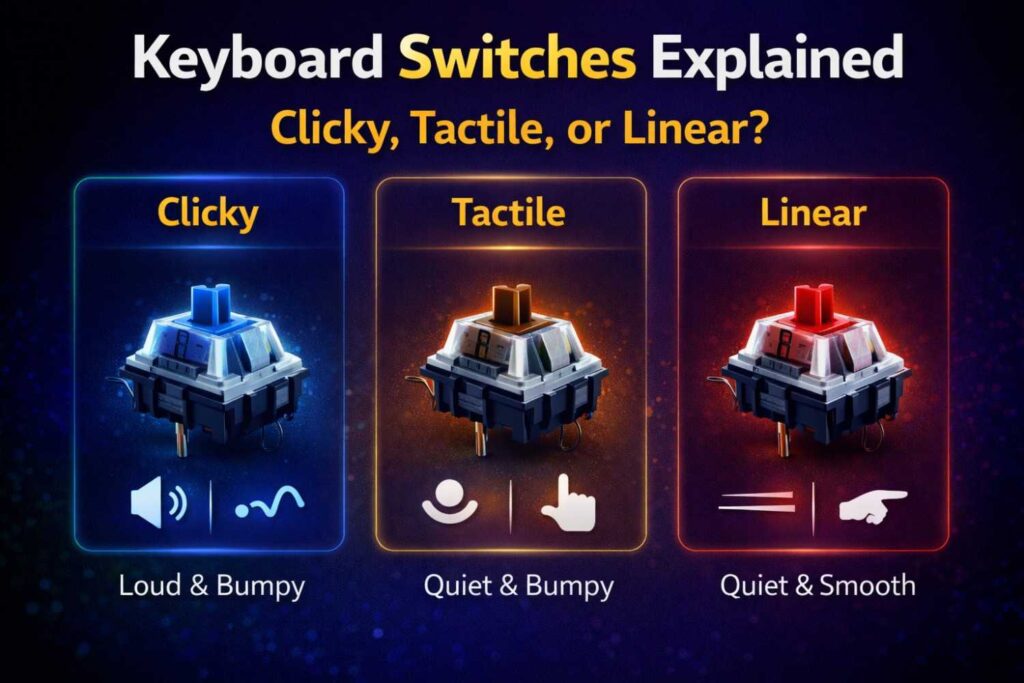
Not sure which keyboard feels right for you? We have keyboard switches explained in plain, simple terms.
Frequently Asked Questions (FAQs)
1. What are the five main uses of a keyboard?
The five main uses are: typing text, entering data, running keyboard shortcuts, navigating computer systems, and controlling games. These cover most of what people use a keyboard for every day, whether for work, school, or personal use.
2. What is the most common use of a keyboard?
The most common use is typing — writing messages, emails, documents, and search queries. It is the most basic function and the one that almost every keyboard user does daily, regardless of their age or profession.
3. What are the types of keys on a keyboard?
A standard keyboard has alphanumeric keys (letters and numbers), function keys (F1–F12), modifier keys (Shift, Ctrl, Alt), navigation keys (arrows, Home, End), special keys (Enter, Backspace, Escape), and a numeric keypad on full-size models. Each group serves a different purpose.
4. How is the keyboard useful in daily life?
In daily life, we use keyboards to search the internet, send messages, shop online, fill out forms, use social media, and handle banking tasks. Most online activity starts with typing something on a keyboard, even if we do not always notice it.
5. Why is the keyboard still important in modern technology?
Despite new technologies like voice control and touchscreens, the keyboard remains important because it is fast, accurate, and universally available. All programming and coding is done on keyboards. They are also essential for accessibility and are used in every industry — from healthcare to finance to education.
Conclusion
The keyboard is more than just a row of buttons on your desk. It is the bridge between you and the digital world. From typing your first word to running complex computer commands, the uses of keyboard touch almost every part of modern life. Understanding how to use it well — including shortcuts, key types, and good habits — can genuinely make your day easier and your work faster.
Whether you are a student, a professional, a gamer, or someone who just uses a computer occasionally, knowing your keyboard better is always worth it. It is a small investment of time that pays off every single day.
Here is something to think about — which keyboard use do you rely on the most, and is there a shortcut or habit you could start using today to make your work easier?
- RELATED ARTICLE
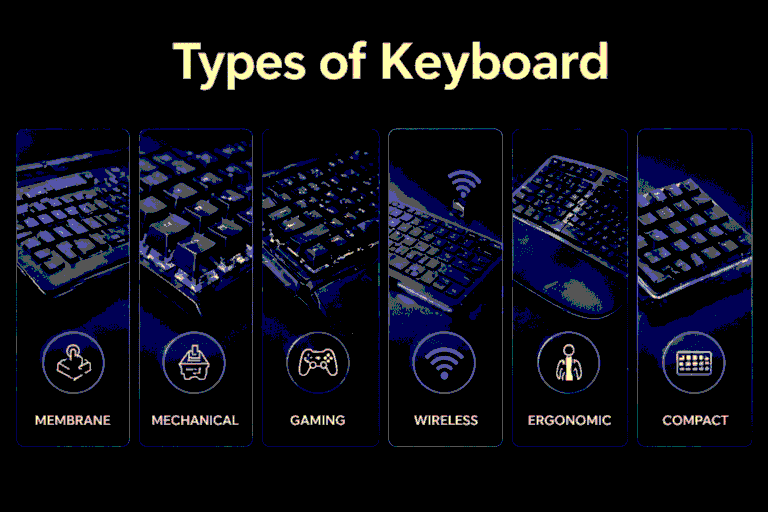
Types of Keyboard: A Complete Guide for Every User