
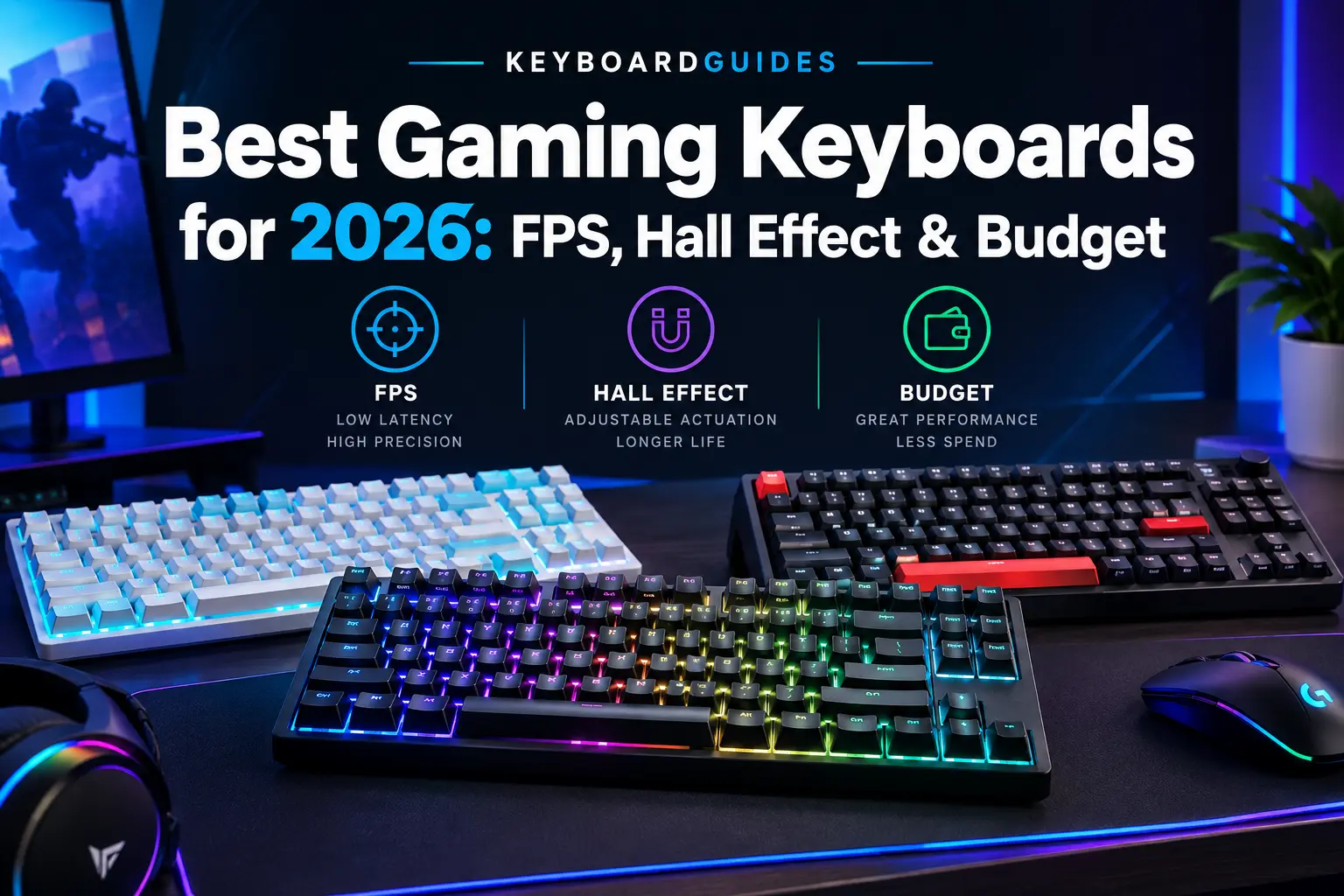
Choosing the best gaming keyboard depends on more than price. What matters is how the switches, input latency, actuation point, keyboard layout, and wired or wireless connection match the way you play.
This guide compares gaming keyboards by budget, use case, and layout to help you find the right keyboard for your gaming setup.
Best Gaming Keyboards Under $100
Best gaming keyboard under $100: At this price, you can find solid mechanical keyboards with standard switches, as well as newer Hall Effect models with adjustable actuation and rapid-trigger features.
Under $100, you’re paying mainly for the core mechanical experience rather than premium extras. That’s not a bad thing — many gamers don’t need more than this tier offers.
What to expect:
- Mechanical switches (linear, tactile, or clicky) from established switch makers
- Standard actuation points, usually fixed rather than adjustable
- Polling rates around 1000 Hz, which is plenty for most players
- Plastic cases with reasonably solid build quality
- Basic RGB lighting and simple companion software
EPOMAKER HE68 Lite — Best Hall Effect Gaming Keyboard Under $100
At around $50, the EPOMAKER HE68 Lite offers a 65% layout, Hall Effect magnetic switches, adjustable actuation, Rapid Trigger-style fast triggering, and 8000Hz polling. It is a particularly interesting option for gamers who want features normally associated with more expensive gaming keyboards.
Polling rates from 1000Hz to 8000Hz, depending on the keyboard. A 1000Hz polling rate is already sufficient for most gamers, while higher rates are mainly aimed at competitive players looking to minimize input intervals.
Build quality varies more at this tier. Look for reviews mentioning stabilizer rattle or flexible cases, since that’s where budget keyboards tend to cut corners.
Wired keyboards are still common in this price range, but there are now several affordable wireless gaming options. If wireless connectivity matters to you, check whether the keyboard supports a dedicated 2.4GHz connection rather than relying only on Bluetooth.
RGB and software are mostly cosmetic at this price. Nice to have, but they don’t affect how the keyboard performs in a match.
Who should buy sub-$100: casual gamers, students on a budget, and anyone building a first mechanical keyboard setup. It’s also a reasonable entry point for competitive players who aren’t ready to invest more yet.
Best Gaming Keyboards Under $200
Best gaming keyboard under $200: this range unlocks premium switches, rapid trigger, adjustable actuation, and better wireless options — features aimed at players who want a competitive edge, not just a functional keyboard.
Between $100 and $200, keyboards start offering features built specifically for performance rather than general use.
What becomes available:
- Hall effect or optical switches with adjustable actuation points
- Rapid Trigger or similar dynamic actuation technology
- Higher polling rates, sometimes up to 4000 Hz or 8000 Hz
- Better-built cases, often with gasket mounting or foam dampening
- Reliable 2.4 GHz wireless with strong battery life
- More advanced software for per-key remapping and macros
Premium switches in this range often use magnetic (Hall effect) or optical sensing, which allows the keyboard to detect actuation more precisely than traditional mechanical switches.
Rapid Trigger lets the keyboard reset the keystroke almost instantly after you release a key, instead of waiting for a fixed reset point. This can help in games where fast direction changes matter.
Adjustable actuation means you can set how far a key needs to travel before it registers. A shorter actuation point can feel faster, though it also increases the chance of accidental inputs.
When $200 makes sense: if you play competitively and want fine control over actuation, or you specifically want a well-built wireless keyboard, this tier delivers real functional upgrades.
When it doesn’t: if you play casually or mostly for enjoyment rather than competition, a sub-$100 keyboard will feel nearly identical in day-to-day use. Spending more here won’t make you a better player on its own.
Best Gaming Keyboard for FPS Games
Best gaming keyboard for FPS games should prioritize low input latency, fast or adjustable actuation, Rapid Trigger, and a compact layout. These features can be useful in games such as Counter-Strike 2, Valorant, Apex Legends, and Overwatch 2.
Features That Matter Most for FPS
- Low input latency: Lower latency helps keep keyboard inputs responsive.
- Adjustable actuation: Lets you customize how far a key must travel before registering.
- Rapid Trigger: Useful for fast strafing, counter-strafing, and repeated key presses.
- Polling rate: 1000Hz is sufficient for most gamers, while 8000Hz reduces the update interval further.
- NKRO: Helps register multiple keys pressed at the same time.
- 65% or TKL layout: Gives your mouse more room for wide movements.
EPOMAKER HE68 Lite — Budget FPS Gaming Pick
The EPOMAKER HE68 Lite combines a 65% layout, Hall Effect magnetic switches, adjustable actuation, Rapid Trigger-style functionality, and 8000Hz polling in a budget FPS gaming keyboard.
EPOMAKER Magcore 87 — Premium FPS Gaming Pick
The EPOMAKER Magcore 87 is a TKL FPS gaming keyboard with Kailh Box inductive magnetic switches, adjustable actuation, Rapid Trigger, 8000Hz polling, and claimed 0.125ms latency. Its CNC aluminum gasket build also provides a more premium construction.
For competitive FPS gaming, 2.4GHz wireless can offer low latency, while Bluetooth is generally less suitable when minimizing latency is a priority. These features can improve keyboard responsiveness, but they cannot replace good aim, movement, and practice.n time — they simply remove small, avoidable delays between your input and the game’s response.
Best Wireless Gaming Keyboards
Best wireless gaming keyboard: look for 2.4GHz wireless connectivity rather than relying only on Bluetooth. A dedicated 2.4GHz connection is designed for responsive, low-latency gaming.
Wireless gaming keyboards have improved significantly, but connection type still matters.
Wireless Gaming Connection Types
| Connection | Latency | Best For |
|---|---|---|
| Wired USB | Lowest and consistent | Competitive gaming |
| 2.4GHz wireless | Close to wired | Gaming without a cable |
| Bluetooth | Higher and less consistent | Everyday use and multi-device |
2.4GHz wireless uses a dedicated USB receiver and gaming-focused wireless protocol, making it generally more suitable for gaming than Bluetooth.
EPOMAKER F75 — Best Wireless Gaming Keyboard Pick
The EPOMAKER F75 is a compact 75% wireless mechanical gaming keyboard with tri-mode connectivity, including 2.4GHz wireless, plus a 4000mAh battery. Its five-layer dampened build and multimedia knob add useful features for both gaming and everyday use.
Battery life varies between wireless gaming keyboards, and RGB lighting can reduce battery life. Turning RGB down or off can help extend battery runtime.
When wireless makes sense: if you want a clean desk setup without a cable near your mouse hand, a quality 2.4GHz wireless gaming keyboard can provide responsive performance for most players. Bluetooth is better suited to everyday typing and multi-device use when gaming latency is less important.
Best Bluetooth Gaming Keyboards
Best Bluetooth gaming keyboard: Bluetooth models work well for casual gaming, everyday typing, and multi-device use, but they are generally not the first choice for competitive, latency-sensitive gaming.
Bluetooth gaming keyboards use the standard Bluetooth protocol rather than a dedicated 2.4GHz gaming connection.
Bluetooth Gaming Keyboard Advantages
- Multiple-device connectivity: Switch between a PC, laptop, tablet, or phone.
- No USB dongle: Useful when USB ports are limited.
- Wide compatibility: Works well with computers, tablets, phones, and some consoles for casual gaming.
Bluetooth Gaming Keyboard Limitations
- Higher latency: Generally slower than wired or dedicated 2.4GHz wireless connections.
- Potential interference: Connection consistency can vary depending on nearby wireless devices.
- Battery usage: Battery life varies depending on usage and connected devices.
EPOMAKER TH108 — Bluetooth Gaming Keyboard Pick
The EPOMAKER TH108 is a full-size 100% 108-key mechanical gaming keyboard with tri-mode wireless connectivity, including Bluetooth. Its 5-layer gasket-mount construction makes it suitable for users who want a comfortable keyboard for both gaming and everyday typing.
When Should You Choose Bluetooth?
Bluetooth is a good choice if you regularly switch between a laptop, tablet, phone, and PC, or mainly play casual and story-driven games where extremely low input latency is less important.
For competitive FPS gaming, a wired or 2.4GHz wireless gaming keyboard remains the more suitable choice when minimizing latency is a priority.
Best 65% Gaming Keyboards
Best 65% gaming keyboard: a 65% layout keeps arrow keys and a few navigation keys while dropping the numpad and function row, striking a balance between compact size and everyday usability.
What a 65% keyboard includes:
- Full alphanumeric key set
- Dedicated arrow keys
- A small navigation cluster (often Delete, Home, or Page Up/Down)
What it removes:
- Numpad
- Dedicated function row (often accessed via a function/Fn layer instead)
Advantages for gaming:
- Frees up significant desk space for mouse movement
- Keeps arrow keys, unlike 60% layouts
- More portable than TKL or full-size boards
Disadvantages:
- Function keys require a secondary key combination
- Fewer keys overall can take adjustment time for typing-heavy tasks
65% vs 60%: a 60% keyboard removes arrow keys entirely, maximizing desk space but sacrificing convenience for navigation. A 65% keeps those arrow keys, which many gamers and typists prefer.
65% vs TKL: TKL keeps the function row and a full navigation cluster but takes up noticeably more desk space than 65%.
Who should choose 65%: gamers who want a genuinely compact desk setup but still use arrow keys regularly, and anyone who values portability without going as minimal as 60%.
Best TKL Gaming Keyboards
Best TKL gaming keyboard: TKL (tenkeyless) keyboards remove the numpad while keeping the function row and full navigation cluster, making them one of the most popular layouts for competitive gaming.
What TKL removes compared to full-size: just the numpad — everything else stays intact, including F-keys and arrow keys.
Why TKL is popular for gaming:
- Removing the numpad shifts the mouse closer to a natural, centered position
- Keeps dedicated arrow keys and function row, so there’s no learning curve
- Easier transition from a full-size keyboard than smaller layouts
Advantages:
- More desk space than full-size, without losing familiar keys
- Widely available with a broad range of switch options
Disadvantages:
- Less compact than 65% or 60%
- Not ideal if numpad input is needed for other tasks
TKL vs full-size: full-size keeps the numpad for tasks like data entry, but takes up more space and moves the mouse further right.
TKL vs 75%: 75% compresses the layout further while still keeping function keys, offering a middle ground between TKL and 65%.
TKL vs 65%: TKL keeps the full function row as dedicated keys; 65% drops it in favor of a smaller footprint.
Who should choose TKL: gamers moving from a full-size keyboard who want more mouse space without changing how they access function or navigation keys.
How to Choose the Best Gaming Keyboard
Switches
Gaming keyboard switches generally fall into a few categories:
- Linear — smooth keystroke with no tactile bump, often preferred for gaming due to consistent, fast presses
- Tactile — a noticeable bump partway through the keystroke, popular for typing feel
- Clicky — tactile bump plus an audible click, loved by some, disliked by roommates
- Optical — uses light to register actuation, generally very fast and durable
- Hall effect — uses magnets to detect key position, enabling adjustable actuation and Rapid Trigger
Linear and optical or Hall effect switches tend to suit fast-paced gaming, while tactile switches are often favored for a mix of typing and gaming.
Actuation Point
The actuation point is how far you need to press a key before it registers as a press. A shorter actuation point can register inputs slightly faster, but it can also increase accidental key presses.
Rapid Trigger
Rapid Trigger allows a key to reset the moment you start releasing it, rather than waiting until it returns to a fixed reset point. This can make repeated taps or quick direction changes feel more responsive in fast-paced games.
Polling Rate
Polling rate is how often your keyboard reports its status to your PC, measured in Hz. Common rates include:
- 125 Hz
- 500 Hz
- 1000 Hz
- 4000 Hz
- 8000 Hz
Higher polling rates reduce the small delay between a key press and when your PC sees it. However, going from 1000 Hz to 8000 Hz produces a much smaller real-world difference than going from 125 Hz to 1000 Hz — it won’t automatically improve your gameplay.
Input Latency
Input latency is the total delay between physically pressing a key and the action appearing in-game. It’s influenced by switch type, polling rate, and connection method (wired, 2.4 GHz, or Bluetooth).
N-Key Rollover and Anti-Ghosting
Anti-ghosting prevents certain key combinations from failing to register when pressed together. N-key rollover (NKRO) goes further, ensuring every key pressed simultaneously is recognized — important in games where you hold multiple movement and ability keys at once.
Wired vs Wireless
| Factor | Wired | 2.4 GHz Wireless | Bluetooth |
|---|---|---|---|
| Latency | Lowest | Very close to wired | Higher |
| Reliability | Most consistent | Strong, dongle-dependent | Can vary |
| Battery | Not applicable | Needs charging | Needs charging |
| Convenience | Cable on desk | Cable-free | Cable-free, multi-device |
| Portability | Lower | Moderate | Highest |
Keyboard Size
- Full-size — includes numpad, all function and navigation keys
- TKL — removes numpad, keeps everything else
- 75% — compact layout that still keeps function keys
- 65% — drops function row, keeps arrow keys
- 60% — most compact, no arrow keys or function row
Software and Customization
Companion software typically covers key remapping, macro creation, RGB lighting control, onboard profiles, firmware updates, and per-key actuation settings on supported keyboards. More advanced software generally comes with higher-tier keyboards.
Build Quality
Build quality is shaped by the case material, keycap quality, stabilizer tuning, plate material, mounting style (such as gasket mount), and whether the PCB is hot-swappable, allowing switches to be changed without soldering.
Gaming Keyboard Size Comparison
| Keyboard Size | Main Advantage | Main Disadvantage | Best For |
|---|---|---|---|
| Full-size | Dedicated numpad | Takes more desk space | Gaming + productivity |
| TKL | More mouse space | No numpad | Competitive gaming |
| 75% | Compact with function row | More compact layout | Gaming + productivity |
| 65% | Compact with arrow keys | Fewer navigation keys | Gaming |
| 60% | Maximum desk space | No dedicated arrows/function row | Minimalist gaming |
Gaming Keyboard Features That Actually Matter
Not every feature marketed on a gaming keyboard box translates to a real gameplay benefit. Here’s a practical breakdown:
Genuinely useful:
- Low input latency
- Reliable polling rate (1000 Hz is typically enough)
- Quality switches suited to your play style
- Adjustable actuation and Rapid Trigger, if you play competitively
- Anti-ghosting and NKRO
- Solid build quality and stabilizers
- Dependable connectivity (wired or 2.4 GHz for competitive play)
Mostly marketing:
- Extremely high polling rates (8000 Hz) for casual or non-competitive players
- Elaborate RGB lighting effects
- Aggressive gaming-branded aesthetics with no functional benefit
The takeaway: prioritize latency, switches, and build quality first — lighting and branding last.
How Much Should You Spend on a Gaming Keyboard?
- Under $50 — Entry-level mechanical or membrane keyboards. Fine for casual gaming or a first mechanical keyboard, but expect compromises in build quality and switch options.
- $50–$100 — Solid mechanical keyboards with decent switches and build quality. A sensible choice for most casual to mid-level gamers.
- $100–$150 — Better switches, sometimes adjustable actuation, improved build. Worth it if you play competitively but don’t need every premium feature.
- $150–$200 — Rapid Trigger, Hall effect or optical switches, strong wireless options. Suited to competitive players who want a performance edge.
- $200+ — Premium materials, advanced software, top-tier wireless. Best for enthusiasts and highly competitive players who value every refinement.
Spending more only makes sense if you’ll actually use the features that price unlocks — otherwise a mid-range keyboard delivers most of the practical benefit.
Which Gaming Keyboard Size Is Best?
- Choose full-size if you regularly need a numpad for work, spreadsheets, or other numeric input alongside gaming.
- Choose TKL if you want more mouse space than full-size while keeping the function row and arrow keys unchanged.
- Choose 75% if you want a more compact desk footprint but still want function keys as dedicated buttons.
- Choose 65% if you want a compact layout but don’t want to give up arrow keys.
- Choose 60% if desk space is your top priority and you’re comfortable using key combinations for arrows and function keys.
Frequently Asked Questions
What is the best gaming keyboard for most gamers?
For most gamers, a TKL or 65% mechanical keyboard with 1000 Hz polling and reliable switches offers the best balance of performance, desk space, and price without needing premium features.
Is a $100 gaming keyboard good enough for gaming?
Yes. A well-built $100 mechanical keyboard covers the core performance factors — responsive switches and 1000 Hz polling — that matter for the vast majority of players, including many competitive ones.
Is a $200 gaming keyboard worth it?
It’s worth it for competitive players who want adjustable actuation, Rapid Trigger, or premium wireless performance. For casual play, the extra cost mostly buys refinement rather than a noticeable performance gain.
What keyboard is best for FPS gaming?
A keyboard with low input latency, fast or adjustable actuation, NKRO, and a compact layout (TKL or 65%) suits FPS titles like Counter-Strike 2, Valorant, and Apex Legends best.
Is wireless good for gaming?
Yes, if it uses a dedicated 2.4 GHz connection. Modern gaming-grade wireless keyboards perform close enough to wired that most players, including competitive ones, won’t notice a meaningful difference.
Is Bluetooth good for gaming?
Bluetooth works fine for casual and multi-device use but generally has higher, less consistent latency than 2.4 GHz wireless or wired connections, making it less ideal for competitive play.
Is a 65% keyboard better than TKL for gaming?
Neither is universally better — 65% saves more desk space, while TKL keeps the full function row and navigation cluster. The right choice depends on how much you value compactness versus dedicated keys.
What keyboard size is best for gaming?
TKL and 65% are the most common choices for gaming, since both free up mouse space while retaining arrow keys. The best size ultimately depends on your desk setup and typing habits.
Does polling rate matter on a gaming keyboard?
Polling rate matters up to a point — 1000 Hz is sufficient for the vast majority of players. Rates above that, like 4000 Hz or 8000 Hz, offer diminishing and often imperceptible returns for most gamers.
Are mechanical keyboards better for gaming?
Mechanical keyboards generally offer more consistent actuation, better durability, and switch options tailored to gaming compared to membrane keyboards, which is why they’re the standard choice for gaming setups.