
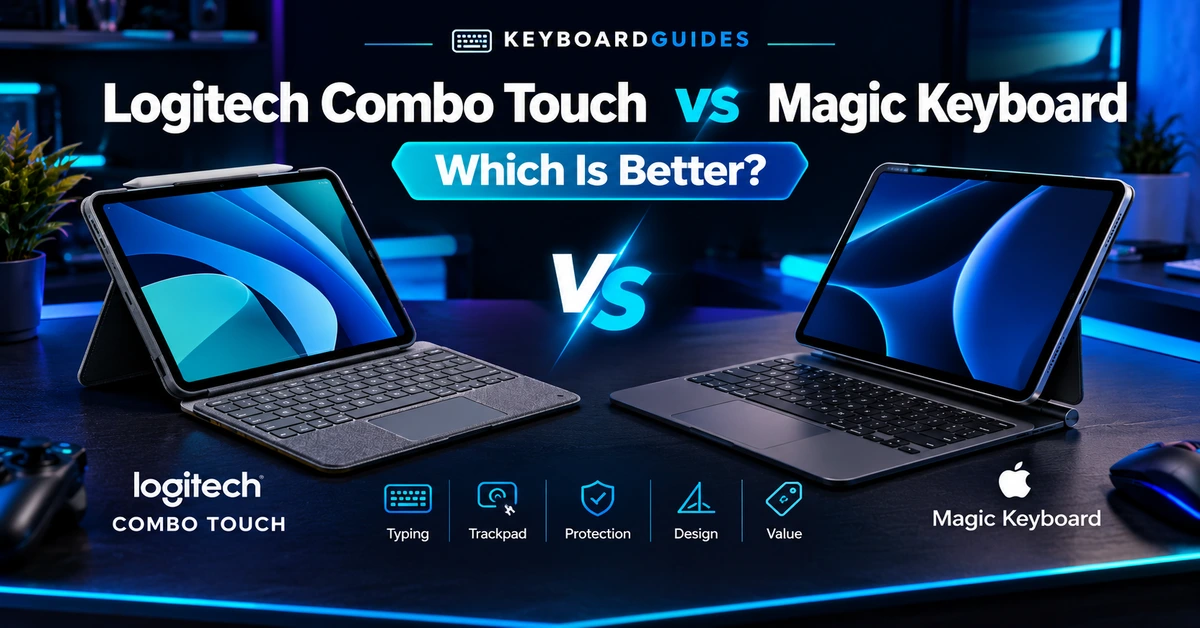
Quick answer: The Apple Magic Keyboard offers a more refined typing and trackpad experience, while the Logitech Combo Touch provides better protection, flexibility, and a detachable keyboard. Choose Magic Keyboard for premium typing; choose Combo Touch for versatility and tablet use.
Magic Keyboard vs Logitech Combo Touch: Quick Comparison
Specs vary by iPad generation and Combo Touch model, so treat this as a general comparison rather than an exact spec sheet for your specific iPad.
| Feature | Apple Magic Keyboard | Logitech Combo Touch | Best For |
|---|---|---|---|
| Keyboard | Backlit scissor-switch keyboard | Backlit keyboard | Magic Keyboard |
| Key feel | Firm and precise | Softer typing feel | Magic Keyboard |
| Trackpad | Integrated, responsive | Included on supported versions | Magic Keyboard |
| Backlit keys | Yes, model-dependent features | Yes, on supported versions | Tie |
| Protection | Limited case coverage | Back and edge protection | Combo Touch |
| Kickstand | No | Built-in, adjustable | Combo Touch |
| Viewing angles | Floating hinge | Wide range via kickstand | Combo Touch |
| Detachable keyboard | No | Yes | Combo Touch |
| Portability | Slimmer, more minimalist | Bulkier protective design | Magic Keyboard |
| Connectivity | Smart Connector on supported models | Smart Connector on many versions | Tie |
| Power | Powered through iPad connector | Powered through iPad connector on supported models | Tie |
| Compatibility | Model-specific | Model-specific | Tie |
| Value | Premium-priced | Often better value | Combo Touch |
| Best for | Typing and premium experience | Protection and flexibility | Depends on user |
Quick verdict: Magic Keyboard wins for typing, trackpad quality, and a slimmer premium design. Logitech Combo Touch wins for protection, flexibility, detachable use, and value.
Ready to compare prices? Check the latest price and availability for Apple Magic Keyboard and Logitech Combo Touch before choosing the model that fits your iPad.
Apple Magic Keyboard vs Logitech Combo Touch: What’s the Difference?
The biggest difference between the Apple Magic Keyboard and Logitech Combo Touch is their overall design approach. The Magic Keyboard is designed to give the iPad a streamlined, laptop-like typing and trackpad experience. The Combo Touch combines a keyboard with a protective case, detachable keyboard, and built-in kickstand for greater flexibility.
Neither design is automatically better for everyone. The better option depends on whether you prioritize typing and portability or protection and versatility.
Apple Magic Keyboard
The Magic Keyboard uses a floating design that holds the iPad above the keyboard at an adjustable viewing angle. Its keyboard and trackpad are integrated into one compact accessory, creating a setup that feels more like a traditional laptop when used at a desk.
The design is particularly appealing if you spend most of your time typing, browsing, or working with a trackpad. It also keeps the overall setup relatively streamlined.
The tradeoff is flexibility and protection. The keyboard remains attached to the case, and its design provides less overall protection than a full protective case. If you frequently use your iPad without the keyboard or carry it in environments where bumps and drops are a concern, this may be an important consideration.
Logitech Combo Touch
The Logitech Combo Touch takes a more flexible approach. It combines a protective case with a detachable keyboard and built-in kickstand, allowing you to switch between different ways of using the iPad.
You can keep the keyboard attached for typing, remove it when using the iPad as a tablet, or use the kickstand for watching videos, reading, video calls, or other hands-free activities.
This flexibility comes with additional bulk compared with the more streamlined Magic Keyboard. The Combo Touch is therefore better suited to users who want their iPad to function as both a protected tablet and a laptop-style workstation.
Keyboard Experience
The Magic Keyboard generally has the advantage for typing. Its scissor-switch keyboard provides a firm, consistent feel and is designed to deliver a laptop-like typing experience.
The Combo Touch also provides a full keyboard, but its typing feel can vary by model. Compared with the Magic Keyboard, some users may find its keys softer or less refined, particularly during longer typing sessions.
Both products offer backlit keys on supported models, although features such as brightness control can vary depending on the specific iPad and keyboard version.
Bottom line: Choose the Magic Keyboard if typing quality is one of your highest priorities. Choose the Combo Touch if you want a capable keyboard while placing more importance on protection and flexibility.
Trackpad Comparison
The Magic Keyboard has a strong advantage in trackpad integration. Its trackpad works closely with iPadOS and supports familiar gestures for scrolling, navigation, and other multitouch actions.
Combo Touch models with a trackpad also provide cursor control and multitouch gestures, but the exact trackpad size and features can vary between versions.
For users who regularly edit documents, navigate websites, manage files, or use productivity apps with a cursor, the Magic Keyboard’s integrated trackpad experience may be the better fit.
Winner: Magic Keyboard for users who prioritize trackpad quality and a laptop-like workflow.
Design and Build Quality
The Magic Keyboard emphasizes a slim, minimalist design and a rigid structure that works well on a desk. Its floating configuration gives the iPad a distinctive laptop-like appearance while keeping the keyboard and trackpad integrated into one unit.
The Combo Touch has a more case-oriented design. Its protective shell, detachable keyboard, and kickstand add versatility but also make the overall setup bulkier.
This creates a clear tradeoff: Magic Keyboard prioritizes a streamlined premium experience, while Combo Touch prioritizes protection and flexibility.
If you primarily use your iPad at a desk for typing, the Magic Keyboard’s design may be more appealing. If you frequently switch between typing, tablet use, drawing, and media consumption, the Combo Touch’s more flexible design can be more practical.
Protection: Which One Protects Your iPad Better?
If protection is a priority, the Logitech Combo Touch has the clear advantage. Its protective case covers the back and edges of the iPad, providing more coverage against everyday bumps and scratches than the Magic Keyboard’s minimalist design.
The Apple Magic Keyboard is designed more around a slim, laptop-like experience than full-device protection. It protects the back of the iPad while leaving more of the sides and edges exposed. For users who regularly carry their iPad in a backpack or travel with it, that difference can be important.
The Combo Touch is therefore a better choice for students, commuters, travelers, and anyone who wants additional protection without giving up a built-in keyboard.
Winner for protection: Logitech Combo Touch.
Kickstand and Viewing Angles
The Logitech Combo Touch also offers more flexibility when it comes to positioning the iPad. Its built-in kickstand allows you to adjust the viewing angle independently of the keyboard, making it useful for watching videos, reading, video calls, or using the iPad with an Apple Pencil.
The Magic Keyboard uses its floating hinge to adjust the iPad’s viewing position, which works particularly well when you’re typing at a desk. However, the keyboard remains part of the setup, so it doesn’t provide the same tablet-only flexibility as Combo Touch.
This difference becomes especially noticeable if you regularly switch between different ways of using your iPad. With Combo Touch, you can detach the keyboard and continue using the protective case and kickstand, while the Magic Keyboard is designed more as an integrated keyboard-and-trackpad setup.
Winner for flexibility and viewing angles: Logitech Combo Touch.
Portability and Weight
Portability is one area where the Magic Keyboard’s minimalist design can be an advantage. Compared with a full protective keyboard case, its streamlined construction generally adds less bulk to the iPad setup, making it easier to carry in a backpack or laptop bag.
The Logitech Combo Touch takes up more space because its protective case surrounds more of the iPad. The detachable keyboard and built-in kickstand also add to the overall size and weight.
This creates a straightforward tradeoff. If you want the slimmest, most streamlined keyboard setup for carrying between locations, the Magic Keyboard is likely the better fit. If you are willing to carry some additional bulk in exchange for more protection and flexible tablet use, Combo Touch makes more sense.
Winner for portability: Apple Magic Keyboard.
Compatibility
Compatibility is one of the most important things to check before purchasing either keyboard case. The Magic Keyboard and Combo Touch are not universal accessories, and compatibility depends on the exact iPad model and generation.
Apple offers different Magic Keyboard versions for supported iPad Pro and iPad Air models, while Logitech offers different Combo Touch versions for specific iPad models. Even when two iPads have similar screen sizes, their dimensions, camera placement, connector position, or button layout can differ enough to require a different keyboard case.
Before buying, check your iPad’s exact model and generation against the manufacturer’s compatibility information. Don’t rely only on the screen size or the product name.
Buying tip: If you’re unsure which iPad model you have, confirm the model number in your iPad’s settings before ordering a keyboard case.
Battery, Power, and Connectivity
The way these accessories connect to the iPad depends on the specific model and generation.
Supported Magic Keyboard models use Apple’s Smart Connector, allowing the keyboard and trackpad to communicate with the iPad without traditional Bluetooth pairing. The accessory also receives power from the iPad, so there is no separate keyboard battery to manage.
Many Combo Touch models also use the Smart Connector, providing a similar plug-and-play experience. However, connectivity can vary across different Combo Touch versions, so you should check the specifications for the exact model designed for your iPad.
For compatible Smart Connector models, the main advantage is convenience: there is no Bluetooth pairing process and no separate keyboard charging routine. This makes both products straightforward to use once they are correctly matched with a compatible iPad.
Winner for convenience: Tie — when comparing compatible Smart Connector models.
Magic Keyboard vs Logitech Combo Touch: Price and Value
The Apple Magic Keyboard is positioned as a premium iPad keyboard accessory, while the Logitech Combo Touch focuses on combining keyboard functionality with protection and flexibility. The price difference can vary depending on the iPad model, keyboard version, and current retailer pricing, so it’s worth checking the latest price for the exact model you need.
With the Magic Keyboard, you’re primarily paying for its streamlined design, integrated trackpad, typing experience, and close integration with supported iPad models. If you use your iPad as a laptop replacement and spend a lot of time typing or navigating with a trackpad, those features can make the higher price easier to justify.
The Combo Touch takes a different value approach. Along with its keyboard and trackpad, you get a protective case, detachable keyboard, and built-in kickstand. That combination can make it attractive to users who want one accessory that supports both laptop-style and tablet-style use.
So which offers better value?
Choose Magic Keyboard if you value: premium design, typing quality, trackpad experience, and a streamlined setup.
Choose Combo Touch if you value: protection, flexibility, detachable use, and getting more functionality from a single case.
Neither is automatically the better value. The right choice depends on which features you’ll actually use every day.
Affiliate tip: Add your current affiliate links here with separate CTAs such as “Check Magic Keyboard price” and “Check Logitech Combo Touch price.” Avoid publishing a fixed price unless you plan to keep it updated.
Which One Is Better for Students?
For many students, the Logitech Combo Touch is the more practical option because it combines keyboard functionality with additional protection and flexible tablet use.
The protective case can be useful when carrying an iPad between classes, while the detachable keyboard allows students to switch between typing assignments and using the iPad as a tablet. The kickstand can also make it easier to watch lectures, read notes, or use the iPad hands-free.
Magic Keyboard may be the better choice for students who spend most of their time writing papers, researching, or using the iPad as a laptop replacement. Its streamlined design and typing experience may be worth prioritizing when typing is the main activity.
Recommendation: Logitech Combo Touch for students who prioritize protection and flexibility. Magic Keyboard for students who primarily use the iPad for long typing sessions.
Which One Is Better for Writers?
For writers, the Apple Magic Keyboard has the stronger case. Its keyboard is designed around a more laptop-like typing experience, while the integrated trackpad makes it convenient to edit documents, select text, navigate websites, and manage files.
The streamlined design also works particularly well for writers who keep their iPad on a desk and use it as a lightweight laptop replacement.
Combo Touch can still be a good choice for writers who also want stronger protection and the ability to remove the keyboard when they aren’t typing. However, if typing quality is the deciding factor, Magic Keyboard is the more natural choice.
Recommendation: Magic Keyboard for writers who prioritize typing comfort, keyboard feel, and a laptop-like workflow.
Which One Is Better for Creators and Artists?
For creators and artists who frequently switch between typing and tablet use, the Logitech Combo Touch has a major advantage: its keyboard can be detached while the protective case and kickstand remain in place.
That makes it easier to use the iPad with an Apple Pencil without having the keyboard attached underneath. The adjustable kickstand can also provide a convenient angle for drawing, viewing reference material, reading, or watching tutorials while working.
The Magic Keyboard can still work well for creators who spend more time typing or editing than drawing. However, its integrated keyboard design means you don’t get the same tablet-only flexibility as Combo Touch.
Recommendation: Choose Logitech Combo Touch if you regularly switch between typing, drawing, and tablet-only use. Choose Magic Keyboard if your creative workflow is primarily keyboard-based.
Which One Is Better for Travel?
Travel is more of a tradeoff between portability and protection.
The Magic Keyboard’s streamlined design makes it a good choice for travelers who want to keep their iPad setup relatively slim and easy to carry. It works particularly well if you already handle your iPad carefully or use a separate protective solution.
The Combo Touch adds more bulk, but its protective case provides broader coverage while traveling. The detachable keyboard also lets you use the iPad as a tablet without carrying the keyboard attached.
For frequent travelers, that extra protection can be more valuable than saving some space or weight in a bag.
Recommendation: Choose Magic Keyboard if portability and a streamlined setup are your priorities. Choose Combo Touch if protection and flexibility matter more during travel.
Magic Keyboard vs Logitech Combo Touch: Pros and Cons
Both keyboard cases have clear strengths, but they are designed around different priorities. Magic Keyboard focuses on a streamlined typing and trackpad experience, while Combo Touch emphasizes protection, flexibility, and tablet-friendly use.
Apple Magic Keyboard Pros
- Refined, laptop-like typing experience
- Responsive integrated trackpad
- Premium, streamlined design
- Slimmer overall setup compared with a full protective keyboard case
- Strong integration with supported iPad models
- Excellent choice for users who primarily type and use the trackpad
Apple Magic Keyboard Cons
- Provides less overall protection than a full protective case
- No independent kickstand
- Keyboard cannot be detached from the case
- Premium pricing
- Compatibility depends on the exact iPad model and generation
- Less flexible for tablet-only use
Logitech Combo Touch Pros
- Protective case covers more of the iPad
- Detachable keyboard allows tablet-only use
- Built-in adjustable kickstand
- Flexible viewing angles
- Useful for typing, drawing, reading, and watching videos
- Often offers strong value by combining several functions in one accessory
Logitech Combo Touch Cons
- More bulky than the Magic Keyboard
- Typing feel may be less refined for users who type extensively
- Trackpad experience can vary by model
- Protective case and kickstand add size and weight
- Compatibility varies by iPad model and Combo Touch version
- Connectivity and features can vary between versions
Magic Keyboard vs Logitech Combo Touch: Which Should You Buy?
There is no universal winner between the Magic Keyboard and Logitech Combo Touch. Both are designed for different priorities, so the better choice depends on how you use your iPad most often.
Choose Apple Magic Keyboard if:
- You prioritize a premium, streamlined design
- You want a laptop-like floating iPad experience
- You spend a lot of time typing
- You prefer a firm, refined keyboard feel
- You regularly use the trackpad for productivity
- You want a slimmer, more minimalist setup
- You primarily use your iPad on a desk or other stable surface
Best for: Writers, professionals, students who type frequently, and users who want their iPad to feel as much like a laptop as possible.
Choose Logitech Combo Touch if:
- You prioritize protection for your iPad
- You want a keyboard that can be completely detached
- You want a built-in adjustable kickstand
- You regularly switch between typing and tablet use
- You use an Apple Pencil for drawing or note-taking
- You want more flexibility for watching videos, reading, or video calls
- You prefer a protective case with keyboard functionality
Best for: Students, artists, travelers, and users who frequently switch between laptop-style and tablet-style use.
Magic Keyboard vs Logitech Combo Touch: Final Verdict
If typing quality, trackpad use, premium design, and a streamlined setup are your priorities, the Apple Magic Keyboard is the stronger choice.
If protection, flexibility, detachable use, and a built-in kickstand matter more, the Logitech Combo Touch is likely the better fit.
In simple terms:
Magic Keyboard = better for a laptop-like iPad experience.
Combo Touch = better for a flexible, protected iPad experience.
Before buying, make sure you select the version that matches your exact iPad model and generation. Features, compatibility, and pricing can vary between versions.
If keyboard responsiveness is important to you, remember that typing feel and actual input latency are two different things. You can learn more about keyboard latency to understand the difference between how a keyboard feels and how quickly an input is registered.
Frequently Asked Questions
Is Magic Keyboard better than Logitech Combo Touch?
Neither is universally better. Apple Magic Keyboard is generally the better choice for users who prioritize typing, trackpad use, and a streamlined design. Logitech Combo Touch is better suited to users who prioritize protection, flexibility, and detachable tablet use.
Is Logitech Combo Touch a good alternative to Magic Keyboard?
Yes. Logitech Combo Touch is a strong alternative for users who want a protective case, detachable keyboard, built-in kickstand, and flexible tablet use. It is particularly useful if you frequently switch between typing, drawing, watching videos, and using the iPad as a tablet.
Which has the better keyboard?
The Magic Keyboard generally has the more refined typing experience, with a firm and consistent feel that is well suited to longer typing sessions. Combo Touch remains capable for everyday typing, but the exact experience can vary by model.
Which has the better trackpad?
The Magic Keyboard generally offers the more refined integrated trackpad experience, particularly for users who frequently navigate iPadOS with a cursor and multitouch gestures. Trackpad features and dimensions can vary between specific Combo Touch versions.
Which protects the iPad better?
Logitech Combo Touch generally provides more protection because its case covers the back and edges of the iPad. Magic Keyboard takes a more minimalist approach and provides less overall case coverage.
Which is better for students?
Combo Touch is often the more practical choice for students who need protection, a detachable keyboard, and flexible tablet use. Magic Keyboard may be a better fit for students who spend most of their time typing and want a more laptop-like experience.
Which is better for travel?
It depends on your priorities. Magic Keyboard is better suited to travelers who want a streamlined setup, while Combo Touch is more attractive if additional protection and tablet flexibility are more important.
Is Magic Keyboard worth the extra money?
It can be, especially if you type frequently and value its keyboard, trackpad, and streamlined design. If protection and flexibility are more important than typing refinement, Combo Touch may offer better value for your needs.
Can you remove the Logitech Combo Touch keyboard?
Yes. Supported Combo Touch models have a detachable keyboard, allowing you to use the iPad with its protective case and kickstand without keeping the keyboard attached.
Which one is better for typing?
Magic Keyboard is generally the better choice for users who prioritize typing quality. Its keyboard provides a firm, consistent feel that is well suited to longer writing sessions, while Combo Touch emphasizes flexibility and protection alongside its keyboard.